A farewell card for a colleague, from the whole team
Someone on the team makes it, adds a team photo, and signs it from the team. Post the link in Slack, Teams or the email thread on their last day. It opens in any browser, on a phone or a work laptop.
Remote team? It works the same way: one link, everyone sees the same card.
Free · No sign-up · A private link to share · AI writes the message if you’re stuck · Opens on iPhone, Android and desktop
Make your farewell card for a colleague here
This is the whole card maker, with “Farewell” already picked. Fill it in and you get the link on this page: no sign-up, nothing to download.
Pick a design
Tap one to use it in the card maker above. You can change the words on the front, add a photo, and pick the burst it opens with. Designs marked PRO come with your own link.
- Bon voyageUse this design →PRO
Bon voyage,
Kabir!
— Mum & Dad
- Until next timeUse this design →
- Teary goodbyeUse this design →PRO
Who will we bother now?
for Meera
— the team
- Wave goodbyeUse this design →PRO
We’ll miss you,
Ananya!
— everyone at work
- Last dayUse this design →
- Next chapterUse this design →
- CrimsonUse this design →
Eid Mubarak
Eid Mubarak,
Rhea.
— Kabir
- Lilac nightUse this design →
- Plum velvetUse this design →PRO
Thinking of
you.
— T
- LavenderUse this design →PRO
Thinking of you today, and every day.
— T
- TerracottaUse this design →PRO
Sunny days
ahead
Happy Onam
- Party catUse this design →PRO
You are iconic,
Zoya!
— the gang
- ConfettiUse this design →
Housewarming
New place,
new start.
— the team
- Party faceUse this design →PRO
Happy New Year,
Arjun!
— the squad
- CheersUse this design →PRO
Happy New Year,
Ana!
— Priya
- SunshineUse this design →
Sending a little sunshine your way.
— R
- Party popperUse this design →PRO
Happy New Year,
Leo!
— Jas
- Good dogUse this design →PRO
Hey you,
Rio!
— woof, Ana
- Blue skyUse this design →
Sunny days
ahead
Happy Pongal
- Gold foilUse this design →PRO
2027
Happy New Year
Kavya
— Rohan
- PolaroidUse this design →PRO
Merry Christmas
from all of us
— the Mehtas
- DancerUse this design →PRO
Let’s dance,
Priya!
— Neha



What they see when they open it
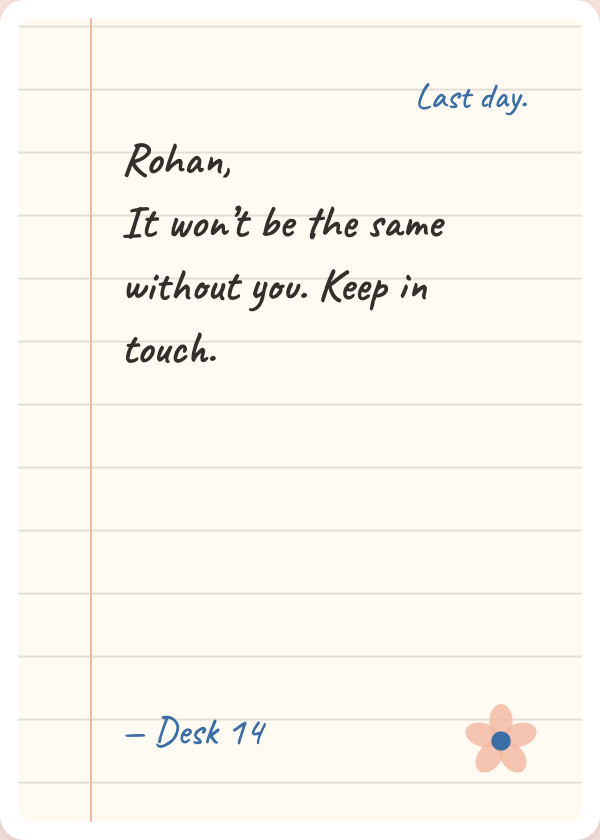
An envelope with their name slides in. They tap it, stars rise, and the card opens: the photo or the design on one page, your goodbye on the other, to keep for the first hard day somewhere new.
What to write in a farewell card for a colleague
Mention one thing they did for the team that will be missed, then wish them well in the new role. Keep in-jokes kind; the card may be forwarded.
Or let AI draft it: in the card maker, tap ✨ Write it for me, pick a tone, and choose from three ideas. Their name is filled in on your device and never sent.
- “The stand-ups will be a lot quieter without you. Good luck, and stay in touch.”
- “Thank you for every review, every rescue and every terrible pun. We’ll miss you.”
- “Your new team has no idea how lucky they are. All the best from all of us.”
- “You made Mondays bearable. Go and do great things.”
- “We’ll keep your chair warm and your mug safe. Good luck!”
- “It won’t be the same without you. Farewell, and thank you.”
How to send one
- Fill in the card maker on this page (“Farewell” is already picked), or tap a design above to start from it.
- Write their name, your message and your name. Add a photo and a date if you like.
- Copy the link and send it however you usually talk: WhatsApp, text, email or DM.
Questions
- Can we post it in Slack or Microsoft Teams?
- Yes. It is a normal link. Paste it in any chat or email; it opens in the browser.
- Can everyone write their own message?
- The card has one message, up to 350 characters. Collect a line from a few people and paste them in together, or keep it to one message from the whole team.
- Can AI write the message for me?
- Yes. In the card maker, tap “Write it for me” under the message box, pick a tone (warm, funny, short or formal) and, if you like, something to mention. AI writes three ideas; pick one and edit it. Their name is filled in on your device and is never sent to the AI.
- Is it free to send a farewell card?
- Yes. There is no account, no watermark and no payment to make and send one. Designs marked PRO are the optional paid ones: for $2.49 (€2.49 in Europe, ₹79 in India) the card gets a link you choose, shows no ads and stays up for a year.
- Is the card private?
- Only people you send the link to can open it. Card pages tell Google and other search engines not to list them, there is no public gallery of cards, and you don’t sign up, so no account holds your details. A free card and its photo are deleted after 7 days.
- Do they need an app or an account to open it?
- No. The link opens as a web page in whatever browser they already use, on iPhone, Android or a computer. They just tap it.
- How long does the link work?
- A free card is deleted 7 days after you make it, with any photo on it. A card with your own link lasts a year. Take a screenshot or a screen recording if they want to keep it.
- Can I schedule it for a date?
- Yes. Set a date, time and their time zone, and until then the link shows a countdown instead of the card. A free card can count down up to 7 days ahead; one with your own link, up to almost a year.
More cards
- Birthday cards
- Milestone birthday cards
- Anniversary cards
- Valentine's Day cards
- Love note cards
- Sorry cards
- Thank you cards
- Congratulations cards
- Get well soon cards
- Graduation cards
- Wedding cards
- Christmas cards
- New Year cards
- Lohri cards
- Makar Sankranti cards
- Pongal cards
- Holi cards
- Diwali cards
- Retirement cards
- New baby cards
- Housewarming cards
Worth reading
Ready to write it?
Make a farewell card